The short version
For anyone who trades on Solana from a self-custody wallet, Jupiter is the swap app to open first: it compares routes across most Solana pools, charges nothing in Manual mode and 2 to 10 bps on the common pairs in Ultra mode. Limit orders are useful but not guaranteed to fill at your price. Skip it if you never leave a centralized exchange, and treat every unfamiliar token as a scam until proven otherwise.
Best for: Solana users who want one self-custody swap app
Our score: 8.2 out of 10
Pros and cons
What works
- Manual-mode swaps carry no Jupiter fee, only network fees and any tip you set
- Ultra fee table is public: 0 bps on stable pairs, 2 on SOL to stablecoin, 10 on most others
- Limit orders cover take-profit, stop-loss, OCO and OTOCO, with 1 hour to 30 day expiry
- Docs state the risks plainly, including that MEV protection does not eliminate sandwiching
What does not
- Limit orders and stop-losses are not guaranteed to fill at the trigger price
- Tokens under 24 hours old cost 50 bps in Ultra mode, the worst fee on the table
- Anyone can mint a Solana token, so look-alike and rug-pull tokens appear in search
- Only Solana is the home chain, and the homepage is busy with promotions and side products
The honest question about Jupiter is not whether it finds a good price. It usually does. The question is whether one swap app can replace the stack of tabs a Solana trader keeps open: a DEX, a limit-order bot, a DCA tool and a token checker. We loaded the swap, limit and perps screens, filled in orders without signing them, and read the fee documentation line by line.
What you actually pay
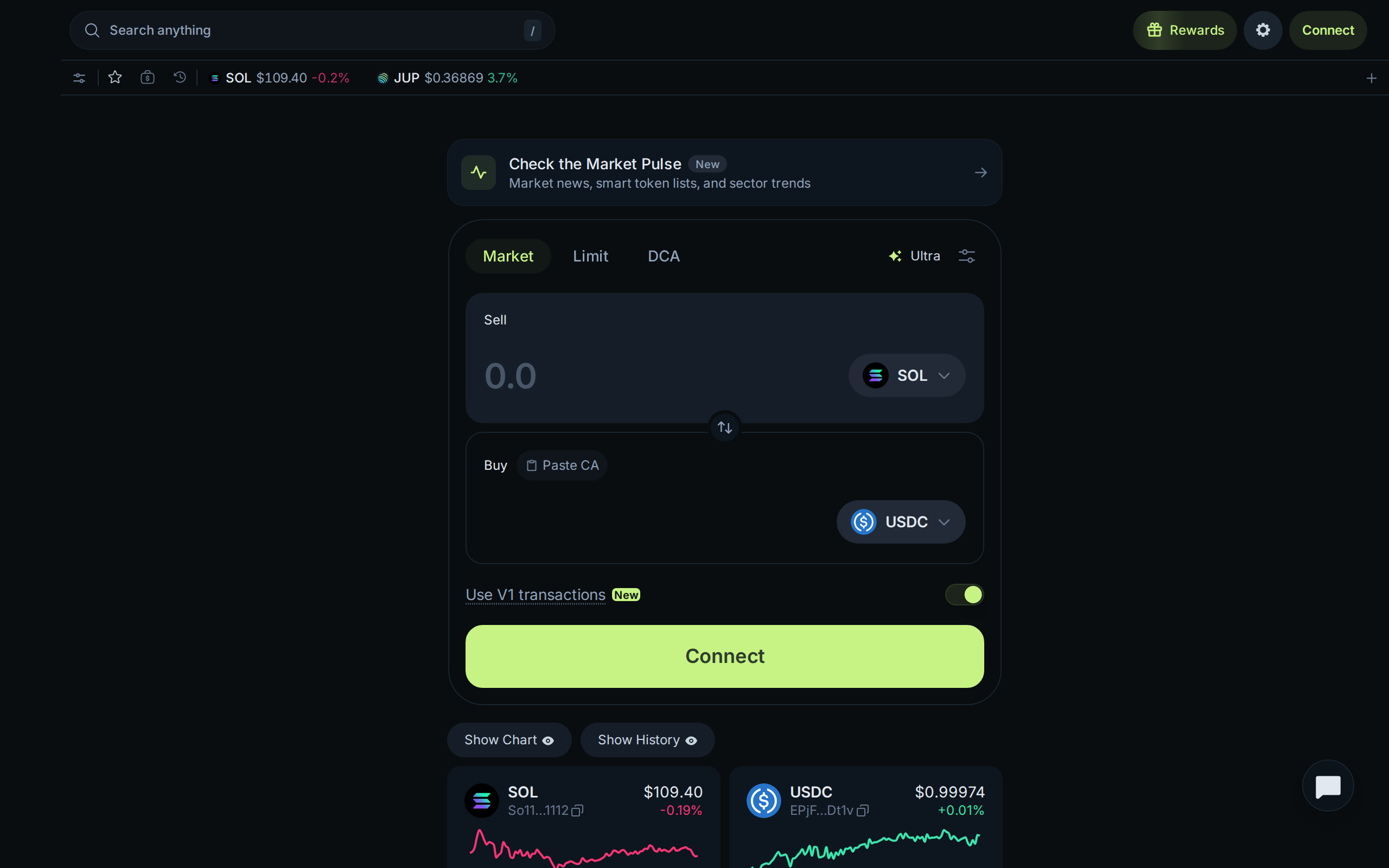
Jupiter has two ways to swap, and they bill differently. In Manual mode, Jupiter takes nothing: you pay the Solana network fee and any priority tip you choose. In Ultra mode, Jupiter handles routing, slippage and transaction landing for you, and charges a fee that depends on the pair.
The published Ultra table is short. JUP, JLP and jupSOL purchases cost 0 bps. Pegged pairs such as stablecoin to stablecoin cost 0. SOL against a stablecoin costs 2 bps, a liquid-staked token against a stablecoin 5 bps, and everything else 10 bps. Tokens less than 24 hours old cost 50 bps. A basis point is 0.01%, so a 10 bps fee on a $1,000 swap is one dollar.
That table is the best feature of the product, because you can see where you stand before you sign. It is also a trap for the impatient: the 50 bps tier lands on exactly the brand-new tokens that attract the most hype.
Limit orders that behave like an exchange, mostly
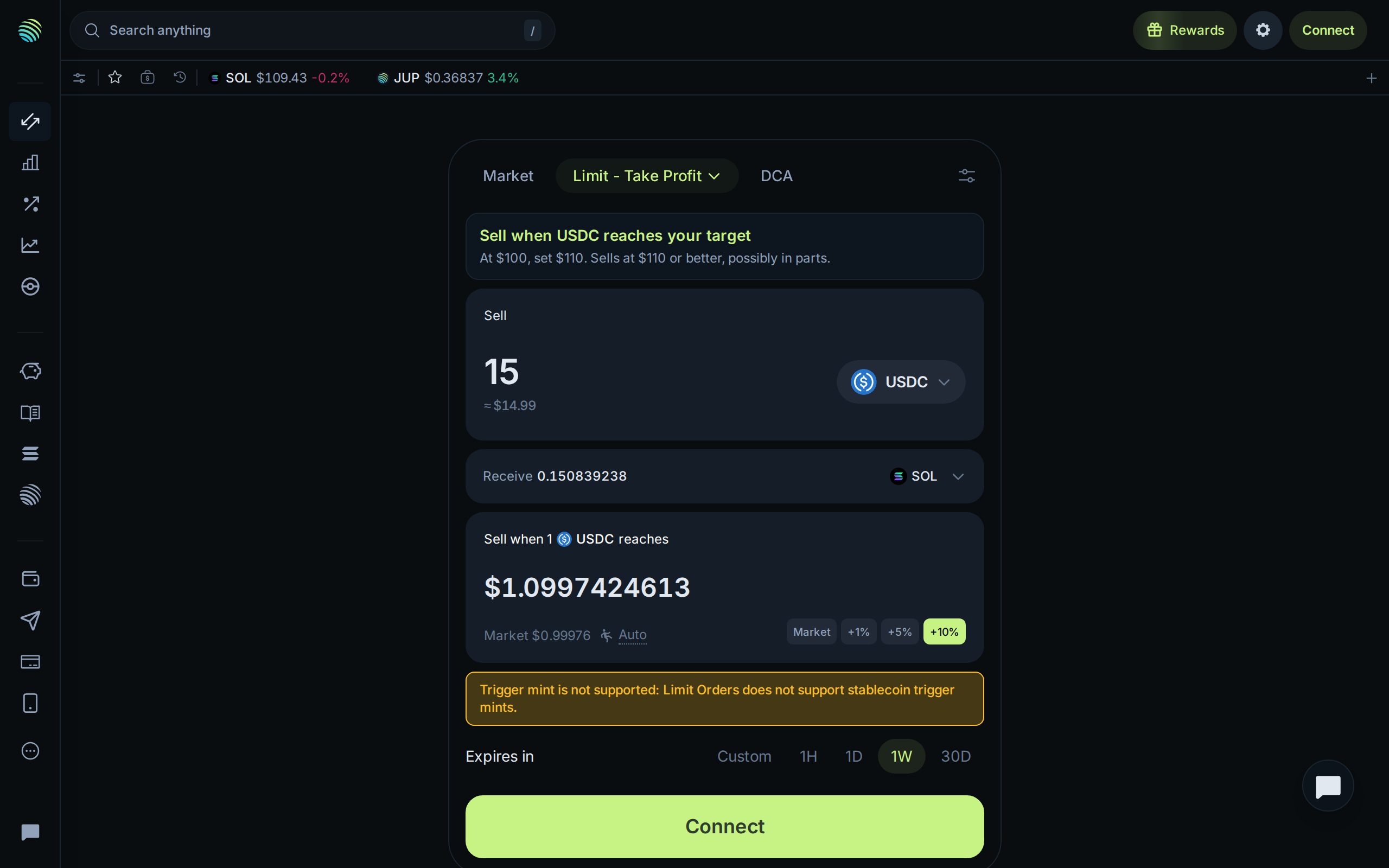
The Limit tab is where Jupiter stops being a plain aggregator. Version 2 supports take-profit, stop-loss, buy-the-dip, OCO (two sells where the first fill cancels the other) and OTOCO (an entry that arms a take-profit and a stop-loss). Expiry runs from one hour to 30 days.
Fees on V2 orders are a base of 0.03% for stablecoin pairs or 0.1% for others, plus the Ultra routing fee of 0 to 0.5%. The older V1 orders were a flat 0.1%.
Now the caveat, in Jupiter's own words: the exact output amount is not guaranteed. A keeper bot fires the trade through Ultra when your trigger is hit, so a stop-loss in a fast fall can simply fail to fill if liquidity is thin or price runs past your slippage limit. Orders can also fill in parts. Anyone used to a centralized exchange's order book should read that twice.
During our test the form also refused a stablecoin as the trigger token and said so in a yellow banner. It is a small thing, but it shows the tab is still being tuned.
The homepage is a mall
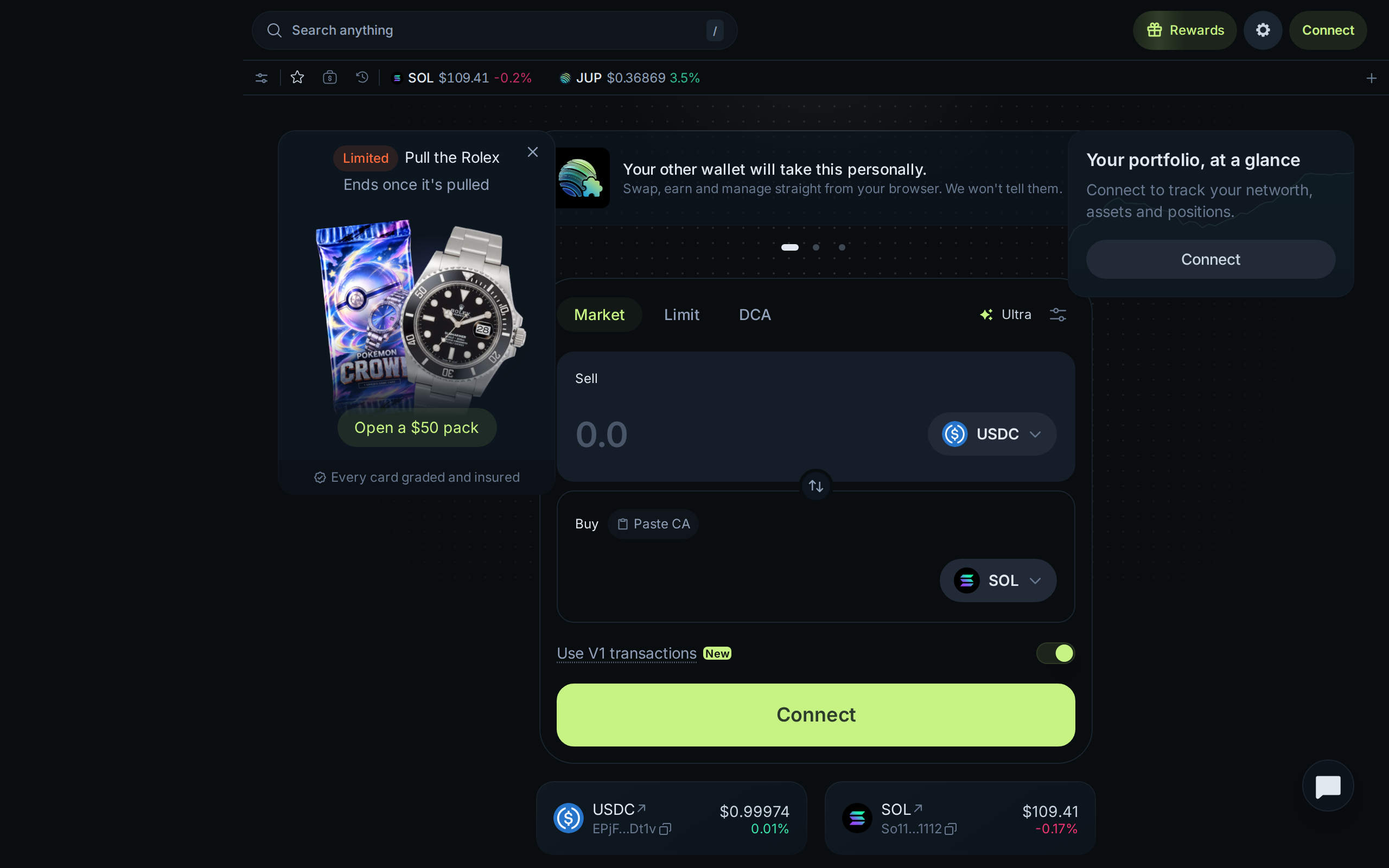
Open jup.ag and the first thing in view is not a swap box. On our visit a promotional card for a trading-card pack, a banner about wallet rewards and a portfolio prompt all competed with the form. Perpetuals and lending have their own pages as well.
We understand why a protocol with a token, a rewards program and side products wants the shelf space. For a newcomer it means the main job is harder to see than it should be. The swap tab itself stays clean once you click through.
Risks that no routing engine removes
Jupiter's risk page is more candid than most. It says Ultra mode uses private transaction submission against sandwich attacks but "does not eliminate" them, and Manual mode has no such protection. It warns that anyone can create a Solana token, that fake versions of real projects exist, and that creators may hold mint or freeze authority, which the token page flags.
The gasless option is worth a warning of its own: when Jupiter pays the network cost for you, the fixed cost can reach 10% on a small trade. For a $20 swap, pay the fraction of a cent yourself.
Nothing here is custodial, which is both the appeal and the risk. There is no support desk that can reverse a swap to a scam token, and no account to freeze. If you are new to wallets, practise with small amounts, verify every contract address, and remember that Jupiter's verification labels are filters, not guarantees.
Who should use it
Use Jupiter if you already hold SOL or SPL tokens in a wallet you control and swap more than occasionally. The Ultra table is cheap on the pairs most people trade, Manual mode is free, and the limit and DCA tools save you from running three separate apps. Developers get a public API and documentation too.
Avoid it if you only buy bitcoin and ether through an exchange, if you want a support desk, or if you will chase tokens that launched an hour ago. That last group pays the highest fee and carries the highest scam risk.
This is a review of a tool, not a recommendation to trade any asset. Our score of 8.2 reflects a cheap, transparent, well-documented product with a cluttered front page and order types that cannot promise fills.
Specifications
- Home chain
- Solana
- Manual swap fee
- 0% from Jupiter (network fee and tips only)
- Ultra swap fee
- 0 to 50 bps depending on the pair
- Limit order fee (V2)
- 0.03% stables or 0.1% other, plus 0 to 0.5% Ultra routing
- Order types
- Market, limit, take-profit, stop-loss, OCO, OTOCO, DCA
- Order expiry
- 1 hour to 30 days
- Custody
- Self-custody, you connect your own wallet
- Account or KYC
- None