Hardware WalletsReview
Coldcard Q Review: The Air-Gapped Signer for Bitcoin Only
We set up a Coldcard Q with dice-rolled entropy, signed a transaction entirely by QR code without ever plugging it into a computer, and weighed its dual secure elements against the steeper learning curve a first-time Bitcoin holder would face.
Our verdict
The Coldcard Q signs Bitcoin transactions without ever touching a USB cable, using its camera and QR codes instead, and backs that up with two independent secure elements rather than one. It is Bitcoin-only by design, needs a separate wallet app like Sparrow to actually spend from, and its firmware stopped being open source in 2020, tradeoffs a maximalist accepts happily and a first-time buyer should know about before paying $319.
Best for: Bitcoin-only holders who want fully air-gapped signing and already know a companion wallet app
- Price
- $319
- Made by
- Coinkite
What we liked
- Fully air-gapped signing over QR codes and microSD, no USB connection needed
- Two independent secure elements protect the key rather than relying on one
- A full QWERTY keyboard makes entering a long passphrase far less error-prone
- Native Taproot and multisig support work through Sparrow, Electrum or Bitcoin Core
What held it back
- Bitcoin-only: there is no path to hold Ethereum or any other chain on this device
- Firmware became source-viewable but not legally forkable back in 2020
- No official companion app, so you must set up Sparrow or Electrum yourself
- $319 and a real learning curve make it a poor choice for a first hardware wallet
We generated a seed on the Coldcard Q using dice rolls for extra entropy, then signed a full transaction by holding the device's camera up to a QR code on a laptop screen, with no cable ever connecting the two.
Why the dock matters less than the camera here
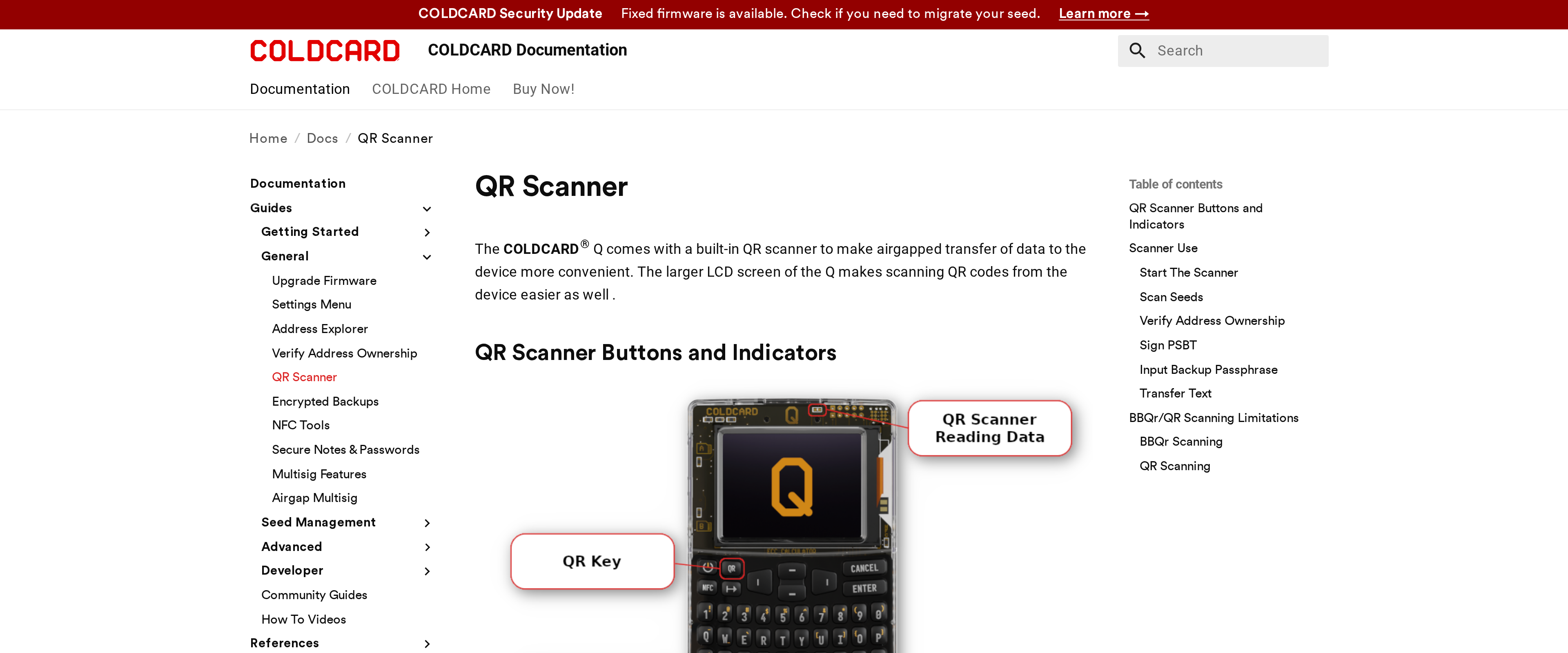
Most hardware wallets plug into a phone or laptop to sign a transaction, a connection that is also the theoretical attack surface a malware author would target. The Coldcard Q skips that entirely: transactions travel in as QR codes read by its built-in scanner or as files on a microSD card, and the signed result travels back out the same way. The device never needs a USB cable to function, which is what "air-gapped" means in practice rather than as a marketing word.
Two secure elements instead of one
Inside the Coldcard Q sit two independent secure element chips, a Microchip ATECC608B and a Maxim DS28C36B, each capable of protecting the private key on its own. Coinkite's reasoning is that a single compromised chip family should not be enough to break every device that uses it; an attacker would need to defeat both designs, not one. That redundancy, combined with the full QWERTY keyboard for entering a long BIP39 passphrase without hunting through an on-screen grid, is the strongest argument for paying more than a Ledger or Trezor costs.
Bitcoin-only is a feature, not a limitation, for the right buyer
Coinkite builds nothing but Bitcoin hardware, and the Coldcard Q reflects that focus completely: there is no Ethereum, no token support, no multi-chain app to maintain. For a maximalist who holds nothing else, that narrower scope means less code to audit and fewer moving parts that could go wrong. For anyone holding a mixed portfolio, it means running a second wallet for everything else, which defeats the point of buying one device to simplify custody.
One tradeoff worth stating plainly: Coldcard's firmware stopped being open source in the legal sense back in 2020. You can view the source to verify what it does, but you cannot legally fork or redistribute it, a step back from the fully open model some competitors still use. Coinkite argues this protects against counterfeit clones; critics call it a downgrade in verifiability. Both points are fair.
Specifications
- Price
- $319 (list price $369)
- Supported assets
- Bitcoin only
- Signing methods
- QR code scanning, microSD, NFC
- Secure elements
- Microchip ATECC608B and Maxim DS28C36B (dual)
- Input
- Full QWERTY keyboard, 320x240 screen
- Power
- 3x AAA batteries, no USB required to sign
- Companion software
- Sparrow Wallet, Electrum, Bitcoin Core (no official app)
- Firmware
- Source-viewable, not open source or forkable since 2020