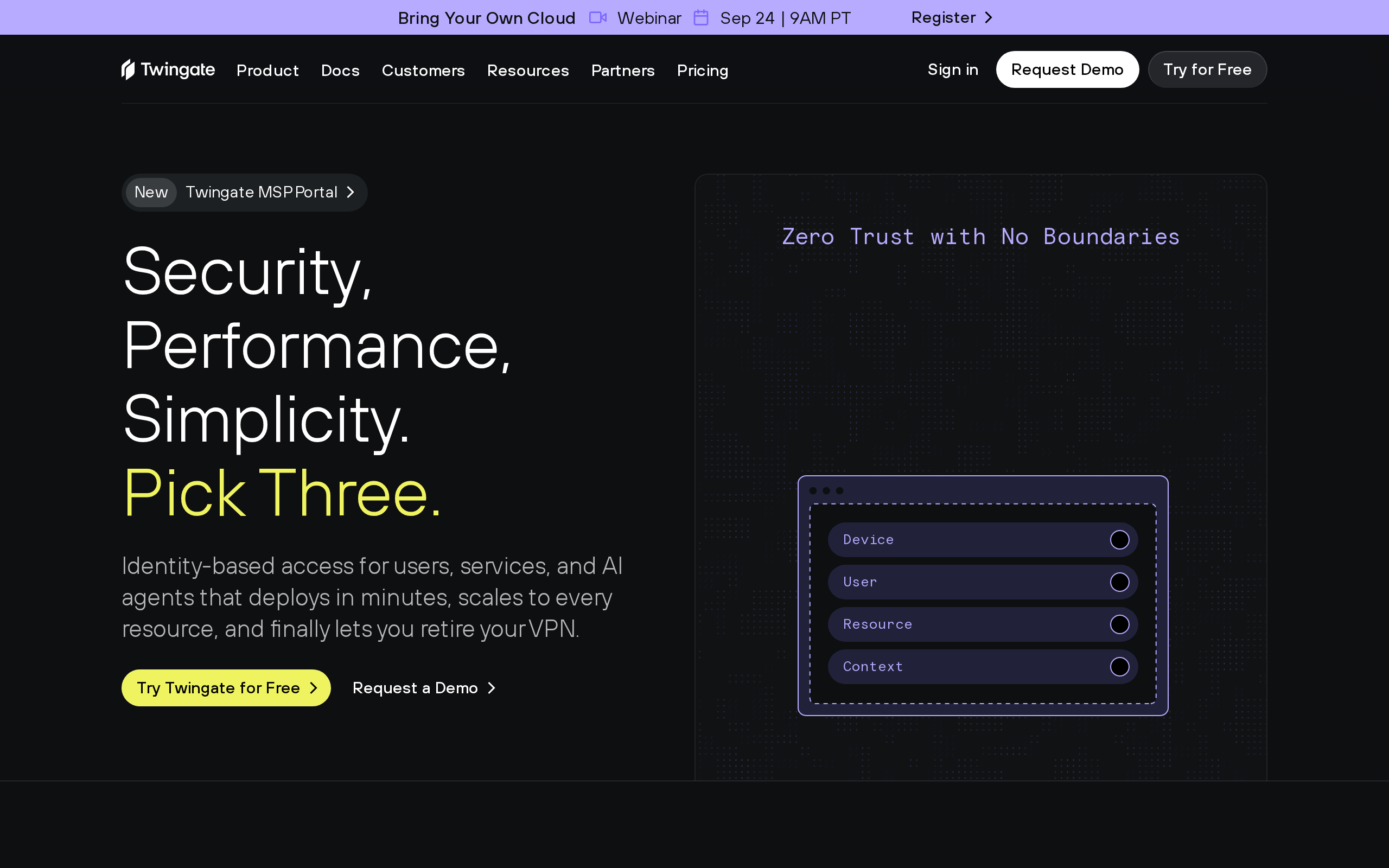
Twingate Review 2026: Zero Trust vs a Classic VPN Gateway | Cipherwell
Twingate Review: Zero Trust Access That Is Easier Than a VPN Gateway?
Twingate replaces the VPN gateway with outbound-only connectors and per-resource access rules. Free for 5 users, then $5 to $10 per user a month. We checked limits, tiers and trade-offs.
8.3 out of 10
Best for Small and mid-size teams retiring a legacy VPN gateway
By The Cipherwell Test Desk
twingate.com
The verdict
Twingate is easier to run than a VPN gateway because nothing needs an open inbound port: lightweight connectors dial out, and users reach named resources, not whole subnets. The free plan covers 5 users. The catch is that useful controls sit in higher tiers, SSO outside Google starts at Business, and traffic that falls back to relays can be slow.
What we liked
Connectors make outbound connections only, so no inbound ports
Access is granted per resource instead of per network
Free Starter plan covers up to 5 users
Teams at $5 per user and Business at $10 are easy to price
Supports TCP, UDP and ICMP traffic
What held it back
Okta, Entra ID and SCIM provisioning need the Business tier
Relay fallback can cut throughput behind strict NAT
Not a consumer privacy VPN: it does not hide web browsing
DNS filtering is an add-on, and Enterprise pricing is quote only
A classic VPN gateway is a hole you cut in your own firewall. It needs a public address, an open port, certificates that expire and a client that drops everyone onto the same network. Twingate's pitch is to remove the hole. We read its architecture documentation, pricing tiers and the independent discussion of its relay behaviour to see whether that is easier to run, and where it bites.
How it works without an inbound port
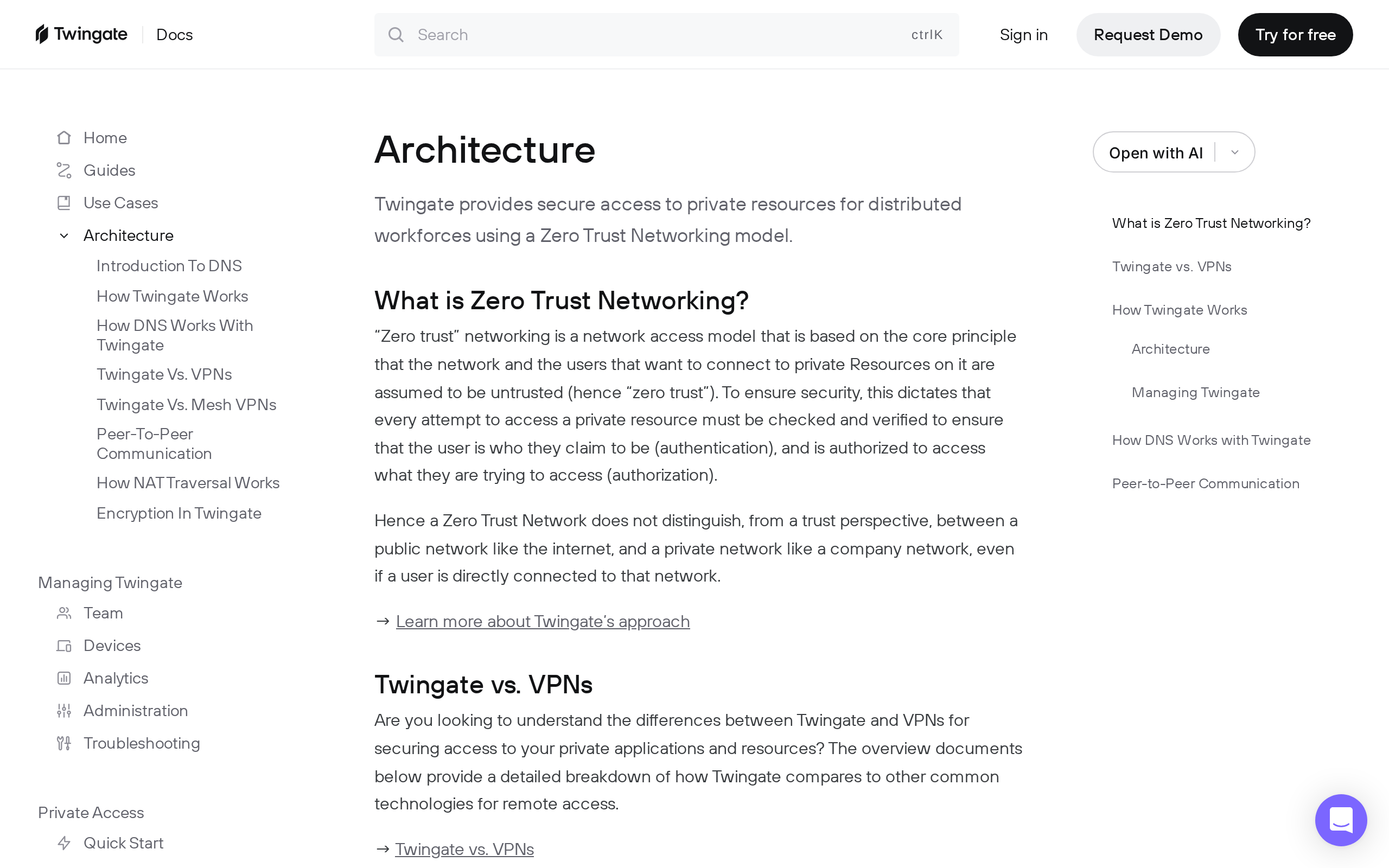
The architecture documentation describes four parts. A Controller holds policy and checks who you are. A Client runs on the user's device. A Connector sits inside your private network. A Relay helps the two sides meet when they cannot reach each other directly.
The important detail is direction. Connectors and clients both make outbound connections, so no inbound port has to be opened on your firewall. By default, per the docs, the client and connector try to talk to each other directly. Traffic can be TCP, UDP or ICMP, so ordinary apps, databases and ping all work.
twingate.com
The Twingate architecture page, including its comparison with VPNs
Access follows resources, not networks. You define a database, a web admin panel or an SSH host, then say which groups may reach it. A contractor can get to one staging server and see nothing else. On a flat VPN, they would usually land on the whole subnet and depend on server-level controls.
Setup: why teams find it quicker
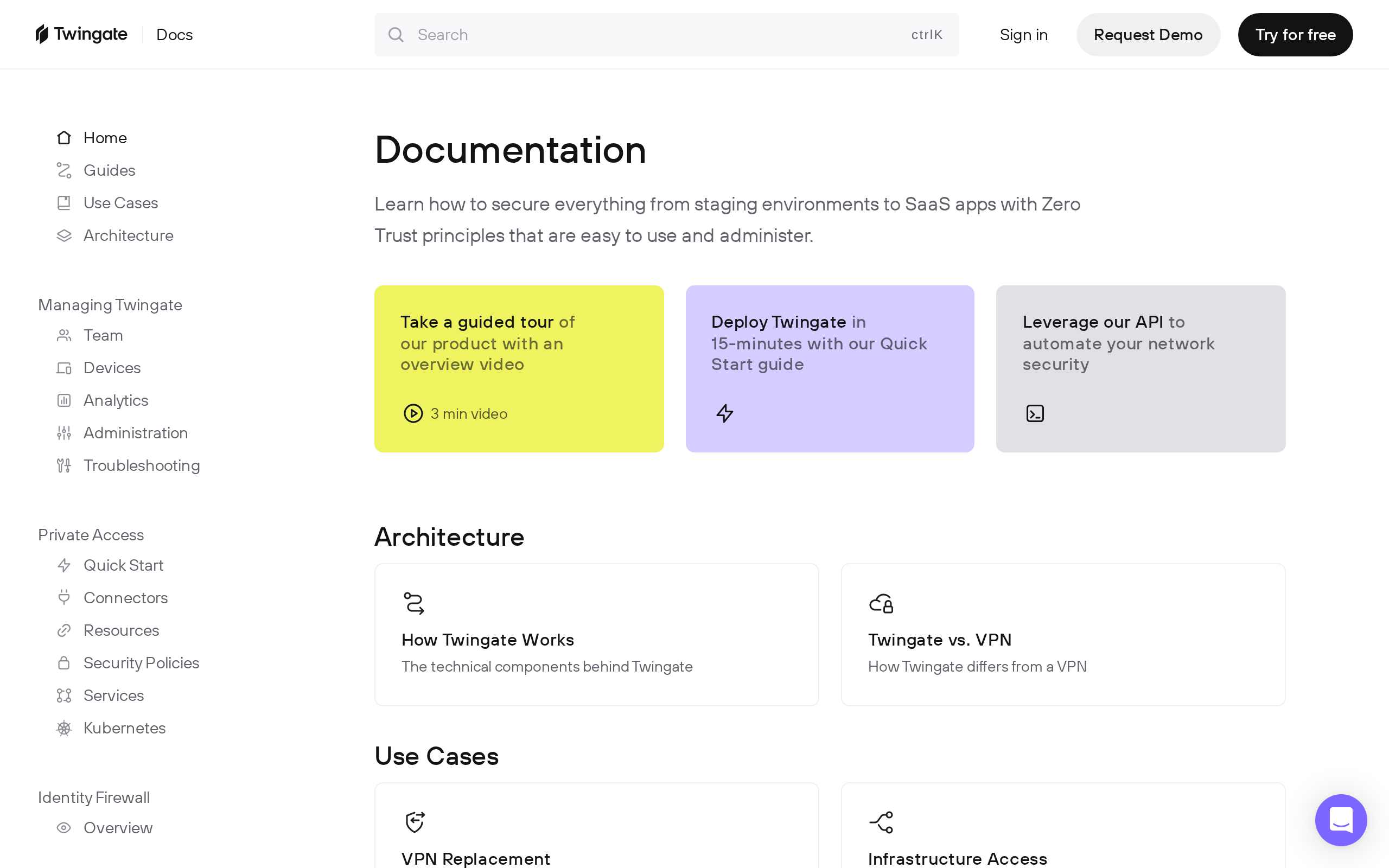
Because there is no gateway to harden, the first deployment is a connector on a small machine plus a policy. The documentation is organised around the jobs people actually have, including VPN replacement, infrastructure access, database access and device security controls.
twingate.com
The Twingate documentation index, with use cases such as VPN replacement and device security controls
We have not run a production migration, so we cannot give a setup time of our own. What the documentation shows is a shorter list of moving parts than a self-hosted gateway, and no certificate or port-forwarding work. That is the real argument. The labour you save is the maintenance.
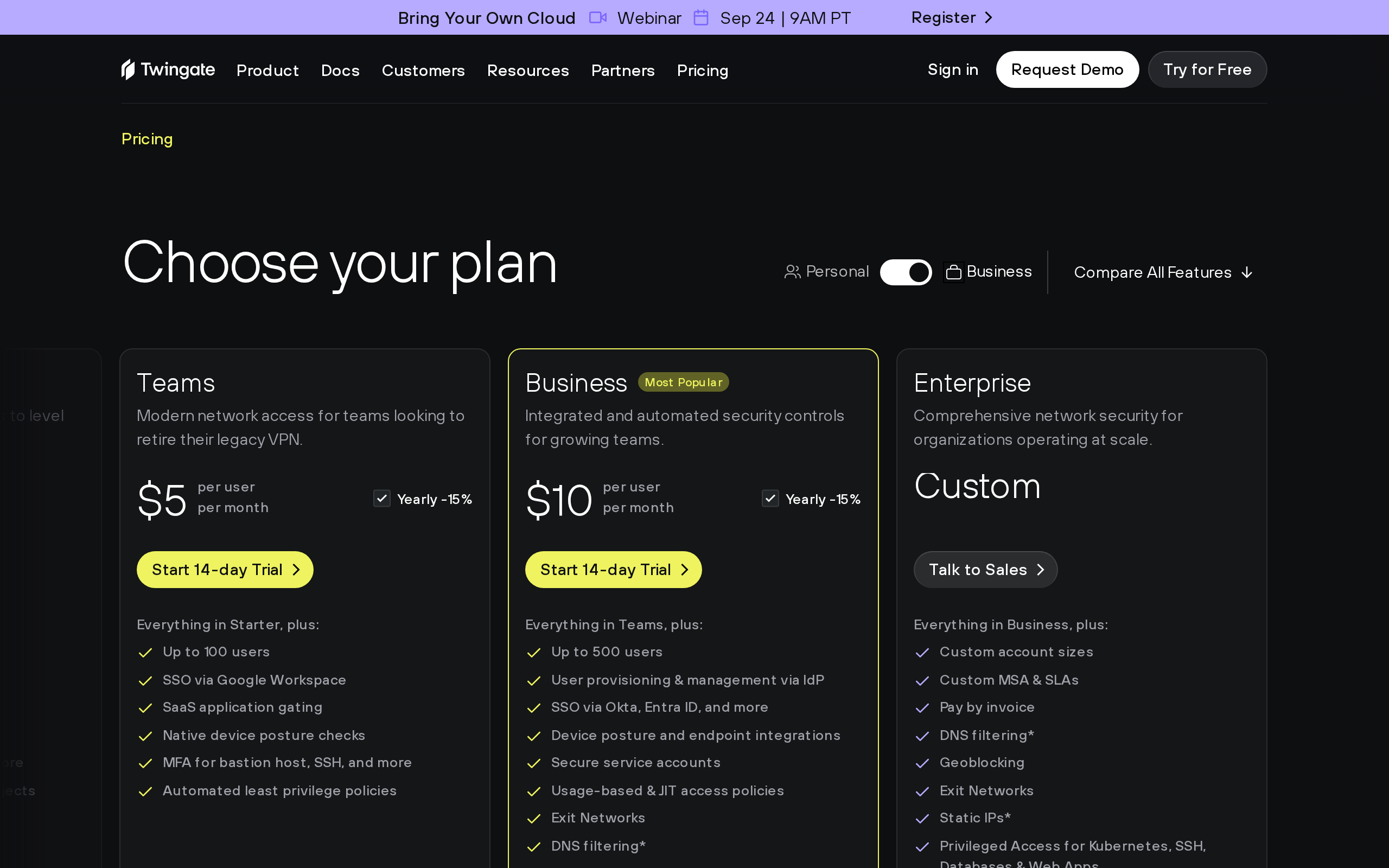
Teams: $5 per user per month, with yearly billing 15% lower.
Business: $10 per user per month, also 15% lower yearly.
Enterprise: custom pricing, with custom contract and service terms.
twingate.com
Twingate's Choose your plan page, showing Home and Teams pricing
The tiers differ in control more than in price. Single sign-on is limited to Google Workspace on Starter and Teams, while Okta, Entra ID and other providers need Business. SCIM user provisioning is also Business. Log retention is 7 days on Starter, 30 on Teams and 12 months on Business, which matters if an auditor asks what happened last quarter. Remote networks scale from 10 to 20 to 100.
In practice, a ten-person team on Entra ID will land on Business, so $100 a month is the honest starting figure, not $50. Compare that with NordLayer, which targets a similar small-team buyer with a more traditional gateway model.
Device checks and the identity side
Posture rules are where zero trust stops being a slogan. The pricing page lists native device posture checks from the free tier up, and Business adds integrations with endpoint tools. That lets a policy say a laptop must meet a baseline before it can reach a production database, which a plain VPN login cannot do. It is a strong reason to pick Twingate over a gateway if you already manage devices.
Keep one limit in mind. Posture checks decide access at the moment of connection, so they work best alongside good endpoint tooling, not instead of it.
The catch: relays and the word VPN
Direct connections are the happy path. When two sides cannot reach each other because of strict NAT or firewalls, traffic falls back to a relay. Competitor write-ups, which have an incentive to say so, describe relayed sessions as slower and say interactive tasks such as SSH, RDP and database queries suffer. Twingate publishes its own page on peer-to-peer pitfalls, so the issue is not hidden. Test your worst network before you roll out.
The other catch is expectation. Twingate is access control for company resources. It is not a consumer privacy VPN, it will not hide general browsing, and it is not a replacement for Mullvad or Proton on a coffee-shop network.
Who should choose it
Choose Twingate if you have a small or growing team, mostly cloud and SaaS resources, and a firewall you would rather not poke holes in. The free plan is also a decent home lab tool. Stay with a gateway if you need full-network access for legacy apps, or if your compliance team demands on-premises everything. We rate it 8.3: a clear improvement in design, held back by tier gating.
Specifications
Starter
Free, up to 5 users
Home
$15 per month, up to 7 users
Teams
$5 per user per month (yearly billing 15% lower)
Business
$10 per user per month (yearly billing 15% lower)
Enterprise
Custom pricing, custom MSA and SLAs
Log retention
7 days Starter, 30 days Teams, 12 months Business
Remote networks
10 Starter, 20 Teams, 100 Business
Single sign-on
Google Workspace on Starter and Teams; Okta, Entra ID and more on Business
Architecture
Controller, client, connector and relay; outbound-only connections