NordLayer Review 2026: Pricing, SSO and Zero Trust | Cipherwell
NordLayer Review: Quick Remote Access for Small Teams, With Add-On Costs
NordLayer promises business VPN, SSO and zero trust access that a small team can set up in an afternoon. We read the plans, the add-on fees and the features that sit behind the top tier.
7.6 out of 10
Best for Small teams needing remote access and SSO without network staff
By The Cipherwell Test Desk
nordlayer.com
The verdict
NordLayer is one of the easiest ways for a small team to put a business VPN, single sign-on and basic access control in place without hiring a network engineer. It is not cheap once you add a dedicated gateway, and the features that make it a zero trust product sit in the Premium tier. Teams of five to fifty with cloud apps and no firewall appliance are its natural customers.
What we liked
Lite, Core and Premium plans start at $8, $11 and $14 per user
Lists SSO with Okta, Entra ID, OneLogin, Google and JumpCloud
Always-on VPN keeps remote staff protected without a manual toggle
Site-to-site and cloud LAN options appear in Premium
14-day money-back guarantee on every plan
What held it back
Core and Premium need a dedicated server, listed at $40 a month extra
Device posture and Cloud Firewall are limited to Premium
Plan pages show annual pricing, so monthly billing costs more
A consumer VPN hides your traffic from your café. A business VPN has a different job: it decides who may reach the accounting system, from which laptop, and proves it afterwards. NordLayer sells the second job at a price a ten-person company can pay, and the interesting question is how much of that job the cheaper tiers really do.
Three plans, one hidden line item
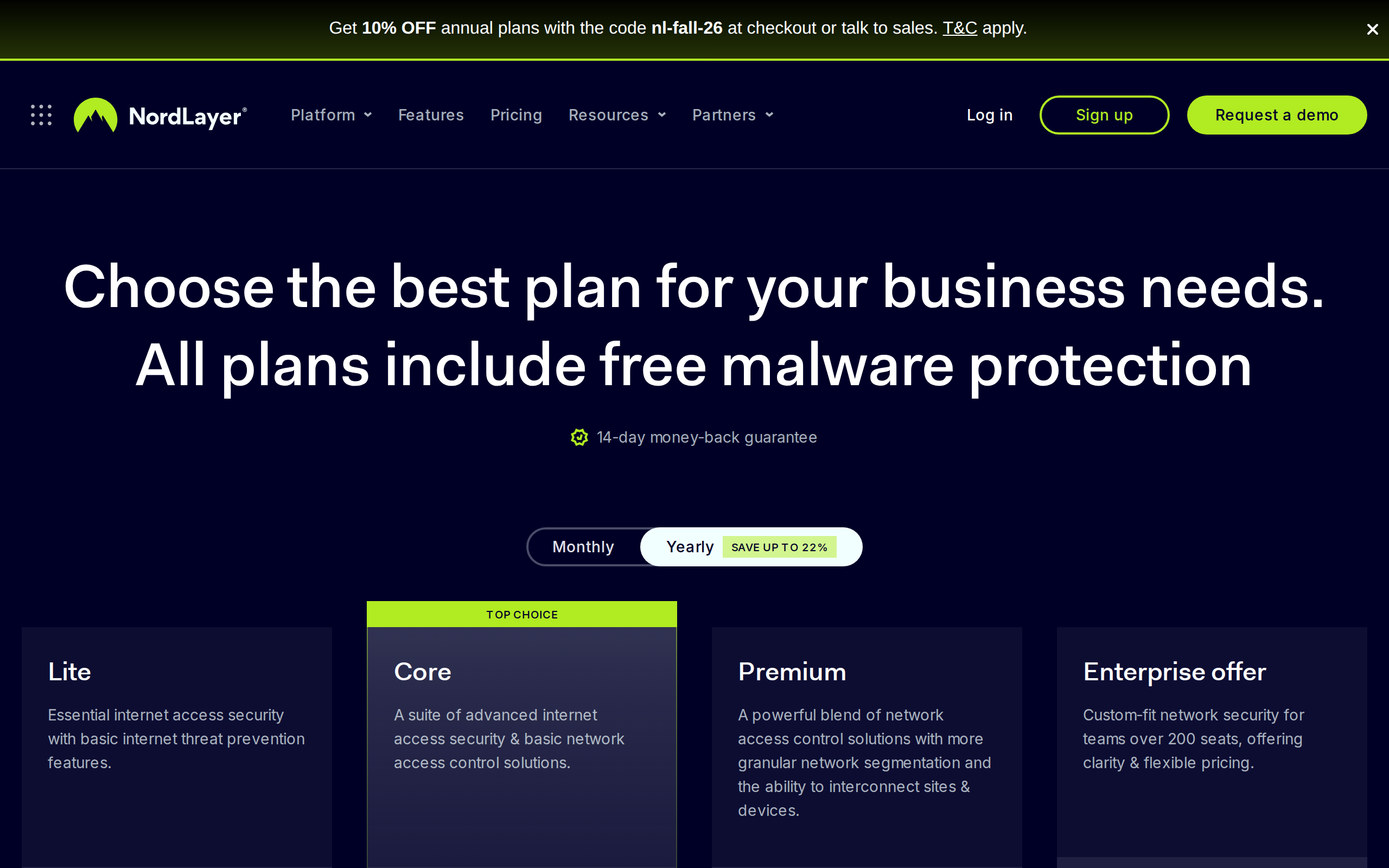
The pricing page lists Lite at $8 per user a month, Core at $11 and Premium at $14. Those are the annual-billing figures the page shows, each marked with a saving of roughly 20 percent against paying monthly. All three carry a five-user minimum and a 14-day money-back guarantee.
nordlayer.com
The pricing page with the three public tiers and the 14-day guarantee
Lite is internet access security with basic threat prevention: it protects people on bad networks. Core adds stronger access security and basic network access control. Premium adds network segmentation, site-to-site connectivity and Cloud LAN, and, according to the page, Cloud Firewall, device posture checks and a named account manager once you reach 30 licences.
The line we would read twice is the one under Core and Premium. Virtual private gateways, the thing that gives your team a fixed address to reach your servers, need a server with a dedicated IP, and the page lists that at $40 a month. For a team of five on Core, the monthly bill is $55 in seats, so the $40 gateway adds about 70 percent on top. Enterprise starts from $6 per user but is aimed at 200 seats and above, with up to 60 gateway locations.
Single sign-on is the strongest argument
The pricing page lists SSO among the features common to all plans, with Okta, Microsoft Entra ID, OneLogin, Google and JumpCloud named as supported identity providers. For a small company already living in Google Workspace or Microsoft 365, that is the point of the product. Staff sign in with the account they already use, and removing someone from the directory removes their VPN access too.
Comparitech and the review listings we read keep returning to the same praise: deployment takes minutes, not weeks, and an administrator without a networking background can manage it from the control panel. We found nothing in the documentation to contradict that, and the always-on option is the proof.
nordlayer.com
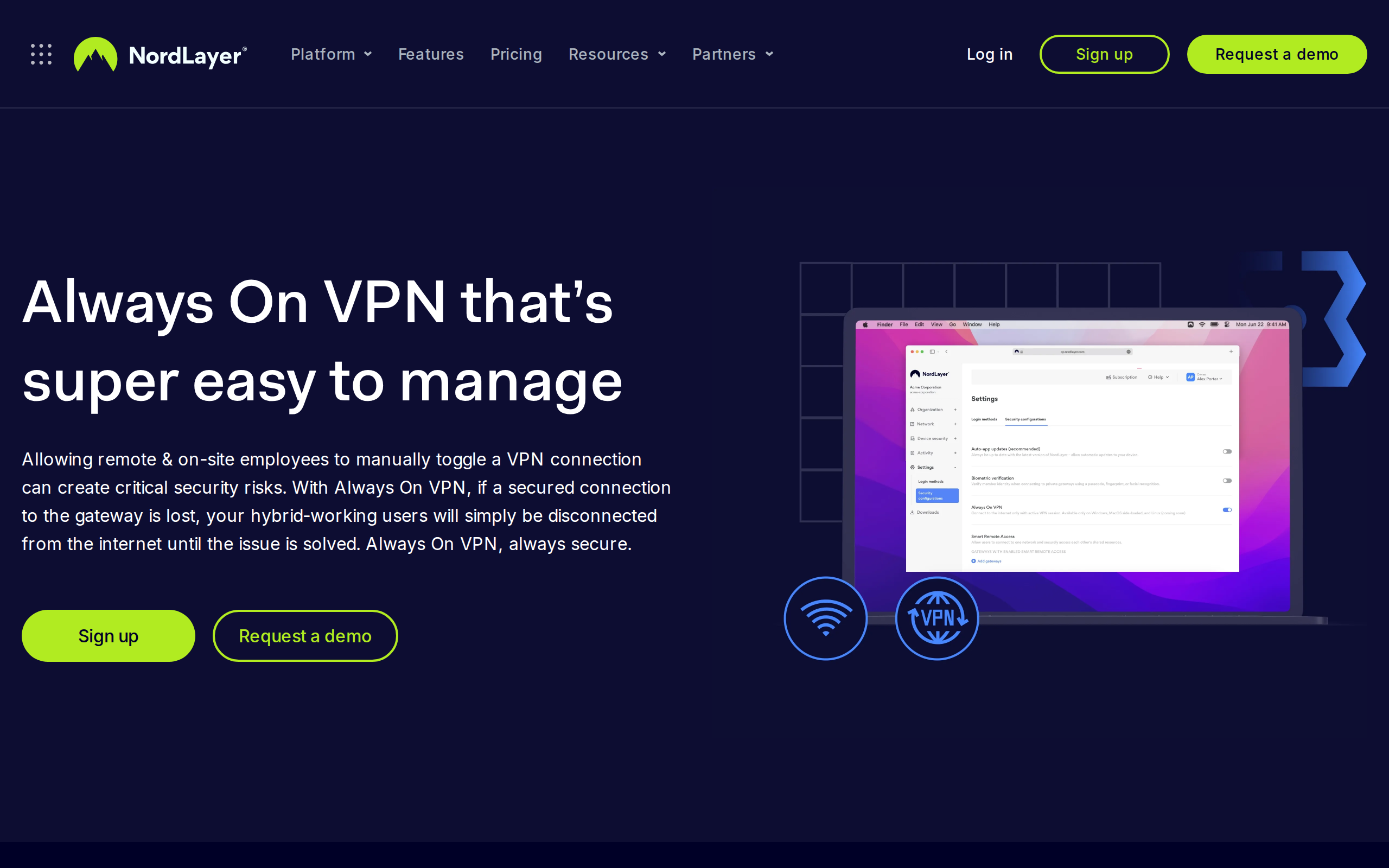
Always On VPN keeps the tunnel up so staff cannot forget to connect
Always On exists because people forget. If the connection drops, the policy reconnects it rather than letting traffic leak onto an untrusted network. It is a small feature that fixes the most common real-world failure of remote work.
Where zero trust starts and stops
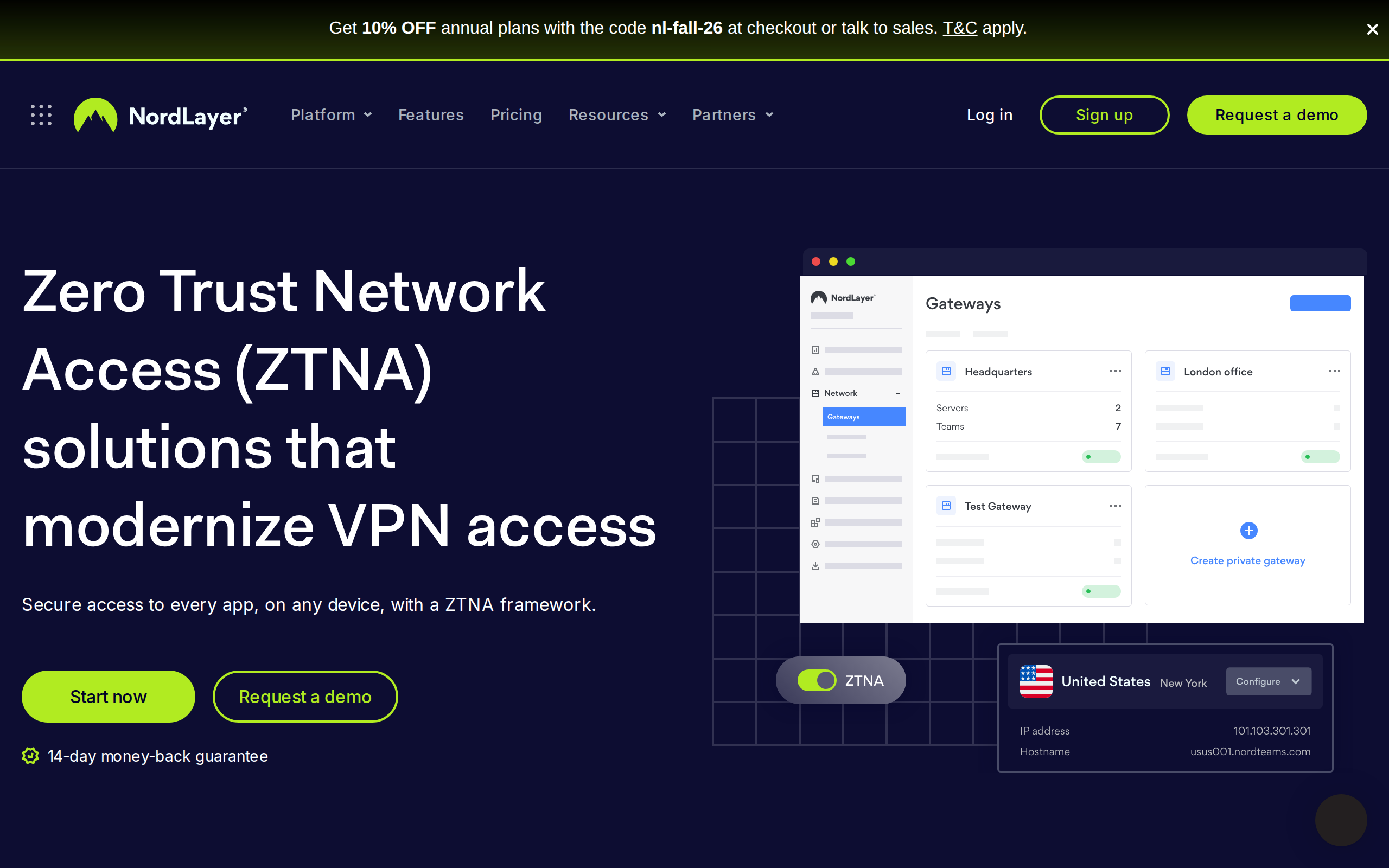
NordLayer's zero trust page frames the product as ZTNA that modernises VPN access: verify every user, every device, every time. That is a fair description of Premium. On Lite it is an overstatement, because without device posture checks you verify the person but not the laptop.
nordlayer.com
The ZTNA page shows the gateway management dashboard used to assign access
If you need that device check, price Premium from the start rather than discovering it later. If you only need to put cloud apps behind a login and encrypt traffic on hotel Wi-Fi, Lite or Core is enough.
Connecting offices
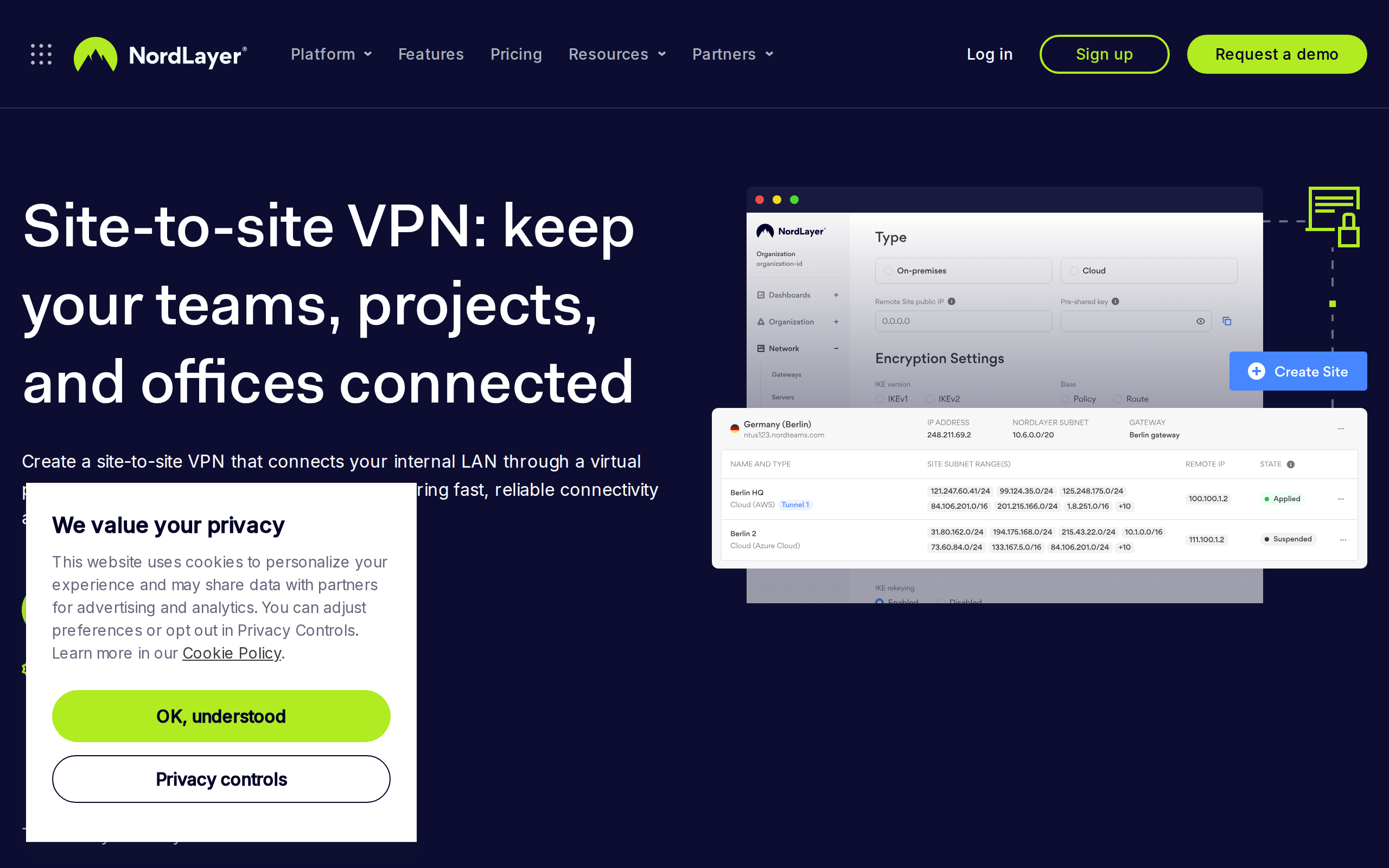
Site-to-site is the other reason to look past Lite. The feature page describes joining internal networks through a virtual private gateway and a dedicated IP server, with a configuration view that lists a Berlin gateway and its subnet ranges.
nordlayer.com
A site-to-site gateway configuration with subnet ranges, from the feature page
It works for two small offices. Past a handful of sites you will want the planning that Enterprise offers, and you should compare it with Cato Networks or Perimeter 81, which a rival's comparison argues has deeper features at a similar price. That source is a competitor, so we treat it as a lead to check rather than a verdict.
What the compliance badges mean
The features page lists SOC 2 Type 2, ISO 27001, HIPAA, PCI DSS and GDPR alignment, plus AES-256 and ChaCha20 encryption. Treat those as the vendor's claims about its own service. They are useful when a client sends you a security questionnaire, but they do not make your own company compliant. Your configuration, your logging and your offboarding habits still decide that.
Who it fits
NordLayer fits teams of five to fifty with cloud apps, remote staff and no security engineer. It fits badly if you must run a full firewall replacement, if you have strict device compliance needs and a Lite budget, or if you are a one-person business, where the five-user minimum makes a consumer VPN the cheaper answer. The score reflects a good small-team product whose real cost is higher than the headline.